Would you trust one AI to finish a task without step-by-step prompts?
Imagine asking for a trip plan, budget, weather check, and calendar hold—all in one request. A chatbot may answer in one shot. An AI agent tries to plan, use tools, and complete the job across steps.
Core parts of agents, real use cases, risks, and how to judge when an agent is appropriate.
Organizations are moving from simple prompting to systems that can plan, retrieve, and act.

Visual cue: an AI agent sits between a user goal and the tools needed to complete it.
What is an AI agent?
An AI agent is a system that pursues a goal, selects actions, and uses available resources on a user’s behalf. The key difference is not just generating language—it is deciding what to do next.
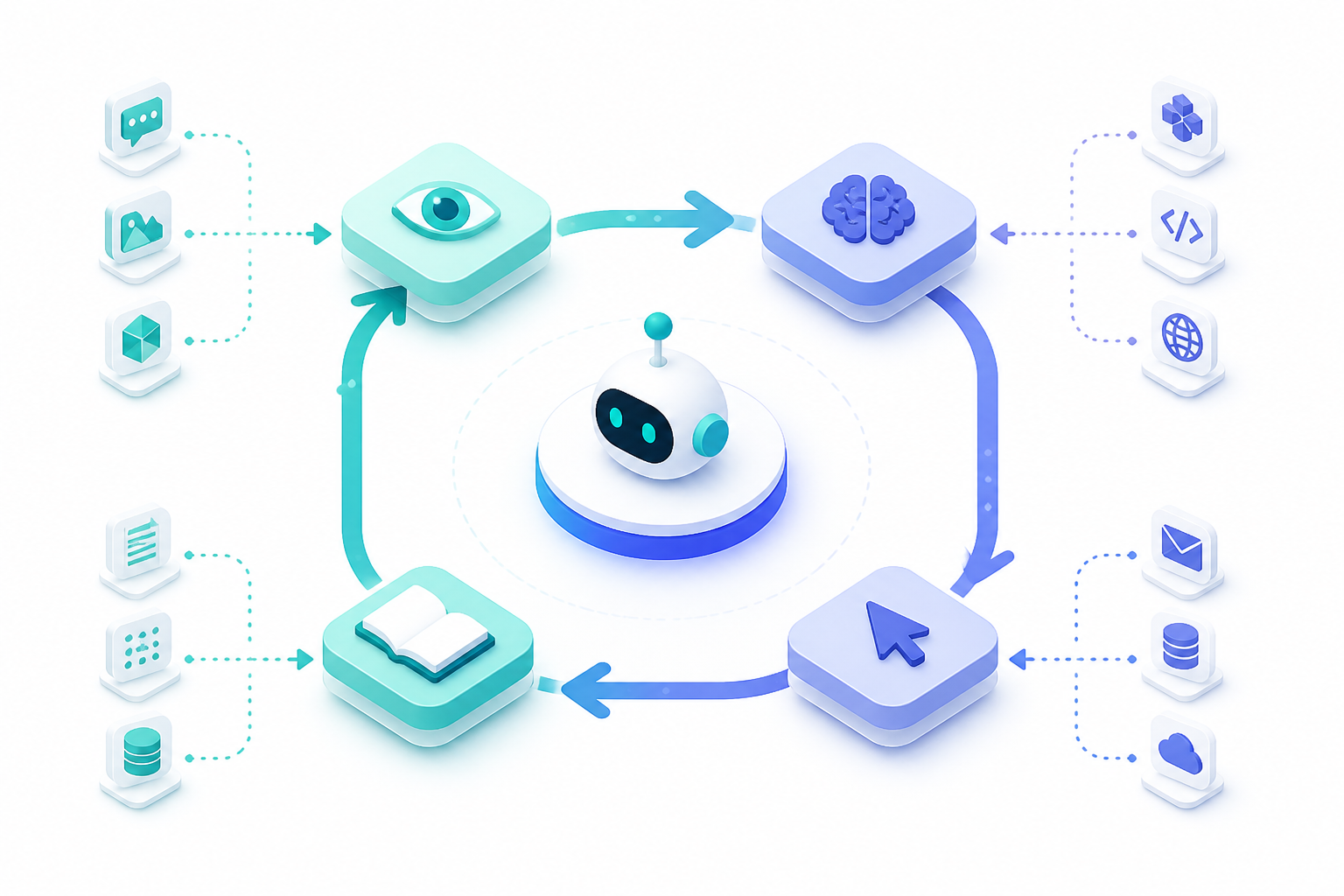
Many definitions describe agents as systems that perceive, reason, and act toward goals.
Chatbot vs. AI agent
A chatbot usually responds to the current prompt. An AI agent can break a larger task into steps, call external tools, and adjust when conditions change.

The agent side includes planning and action, not just conversation.
Which feature most clearly makes a system an AI agent?
A simple agent loop: observe, plan, act, check
Most agents follow a loop. They gather context, choose a next action, use a tool or model step, then evaluate the result before moving on.
Why tools and memory matter
Without tools, an agent can only reason with what it already knows or what you provide. Tools let it search, calculate, retrieve files, or write actions. Memory helps it carry useful context forward.
“I can suggest a budget format.”
“I checked the prices, built the sheet, and flagged cost overruns.”
Capability depends on the environment around the model, not just model size.
Where AI agents are especially useful
Agents work best on tasks with repeatable goals, multiple steps, and clear success conditions. They are often used in customer operations, research, coding, internal workflows, and scheduling.
- Best when tasks have clear boundaries.
- Less suited to ambiguous goals without oversight.
- Higher value when tool calls save time or reduce manual work.
Which task is the strongest match for an AI agent?
Agents still need limits and review
More autonomy can create more risk. Agents may retrieve wrong information, take the wrong action, or follow an unsafe path if goals and permissions are poorly defined.
Limit what tools and data an agent can access.
Require verification before high-impact actions.
Keep records of decisions and actions for review.
Examples needing review: payment approvals, legal commitments, medical recommendations, and identity-sensitive account changes.
Activity illustration: as task risk rises, human approval should rise too.
When not to use an agent
If a task is simple, one-step, or highly risky, a full agent may be unnecessary. Sometimes a standard workflow, a fixed automation, or a supervised assistant is the better choice.
How do you judge whether an agent is working well?
Do not judge only by how impressive the answer sounds. Evaluate whether the agent chose useful actions, used reliable sources, stayed within permissions, and reached the goal efficiently.
- Measure task success, not just fluent wording.
- Track errors from retrieval, planning, and execution.
- Inspect failures to improve prompts, tools, or permissions.
Which control most directly reduces the risk of harmful agent actions?
AI agents are powerful, but not magical
Current agents can improve speed and coverage, yet they still depend on model quality, tool reliability, and thoughtful system design. The best implementations match autonomy to the risk of the task.
- IBM: definition and enterprise framing for AI agents.
- Google/DeepMind materials: agents as systems that reason, plan, and act with tools.
- NIST trustworthy AI and governance materials: identity, authorization, and risk management themes.
- Contemporary agent-engineering explainers on planning, memory, and tool use.
Wrap-up visual: effective agent systems connect reasoning, action, and oversight—not just clever prompting.
Summary
They decide next steps instead of only answering the latest prompt.
Search, APIs, and business systems let agents do useful work.
Relevant context helps agents stay aligned across steps.
Permissions, review, and logging reduce risk.
Ready to check your understanding?
You will answer five questions. Each question has four options and one best answer. The assessment is scored, but you will see your score only at the end.
- Select one option per question.
- Use Next to move forward after answering.
- You need 80% or higher to earn the certificate path.